The Mistakes Customer Support Teams Make With Multi-Channel Support
Your support team answers WhatsApp, Instagram, Messenger and web chat, yet customers still wait hours for a reply. Adding channels without connecting them turns a small support desk into four disconnected queues, and the gaps show up fastest on WhatsApp, where buyers expect an answer in minutes. Anyone weighing the market should also review Whatsapp business api solution.
This article covers the mistakes teams make when support spans multiple channels, from slow first responses to inconsistent tone, unclear ownership and metrics that hide the real picture. You will also see what a unified inbox, sensible automation and a scalable playbook look like in practice, including how Com.bot connects these conversations on one platform.
Why Multi-Channel Support Breaks Down Before It Scales
Multi-channel support often fails not because the tools are inadequate, but because teams scale channels faster than they scale their processes. Adding a new touchpoint takes a few clicks. Making that touchpoint work in harmony with everything else takes planning, staffing, and discipline.
Two mistakes drive most of the breakdown. The first is treating every channel as its own silo, which fragments customer data and agent effort. The second is assuming that more channels automatically produce better support.
Both problems share a root cause. Teams measure channel launch as success instead of measuring how well channels work together. The sections below explain how each mistake plays out and why it stalls growth.
Treating Each Channel as a Separate Silo
When each channel operates in isolation, customer context is lost, leading to repetitive questions and frustrated customers. A person might message on Instagram, get no resolution, then send an email and have to explain everything again from the beginning.
That repetition is not just annoying. It directly inflates average handle time and drags down first contact resolution, because agents start every interaction from zero. They cannot see what a colleague already tried, what the customer already said, or which promises were made.
Silos also create internal friction. Agents juggle separate tools for live chat, email support, social media support, and phone support, which means constant context switching. Each switch costs focus and increases the odds of a dropped detail or a duplicated reply.
Consider a typical case. A customer reports a billing problem through social media support. The social team logs it in one system. The customer follows up by email, where a different agent opens a fresh ticket. Nobody connects the two, so the customer repeats the story and waits twice as long.
The deeper damage is strategic. Data silos prevent any unified view of the customer journey, so leaders cannot see where people get stuck or which touchpoints cause repeat contacts. Without that visibility, touchpoint consistency is impossible to maintain.
Breaking the pattern usually starts with shared records and a unified inbox or CRM integration that carries history across every channel. Routing rules should follow the customer, not the tool. When context travels with the conversation, agents resolve issues faster and customers stop repeating themselves.
Assuming More Channels Automatically Means Better Support
Simply adding channels without the infrastructure to support them can dilute service quality and overwhelm agents. A team might launch WhatsApp because customers asked for it, but without automation, routing, or extra staffing, the new queue quietly turns into a backlog.
The symptoms appear quickly. Response time climbs on the new channel first, then on the old ones as agents get pulled in every direction. Customer satisfaction and CSAT scores slide, and NPS can follow as unresolved conversations pile up.
There is also a cost dimension that teams underestimate. Every channel adds its own tooling, training, monitoring, and escalation management overhead. Channel proliferation without strategy raises complexity faster than it raises value.
Before expanding, support teams should ask a few honest questions:
- Which channels do our customers actually prefer, and for which kinds of issues?
- Do we have the staffing and agent training to cover a new channel without weakening existing ones?
- Can our ticket routing and knowledge base serve this channel from day one?
- Will a chatbot or AI assistant handle routine volume so agents can focus on complex cases?
Channel prioritization matters more than channel count. A smaller set of well-run channels, backed by clear SLAs and queue management, usually outperforms a broad mix that nobody can maintain. Experts recommend reviewing channel value against customer preference before each expansion, not after complaints arrive.
The practical takeaway is to treat every new channel as a commitment, not a checkbox. Launch it only when routing, staffing, and measurement are ready to support it.
The Most Common Mistakes Support Teams Make
Even well-staffed support teams fall into predictable traps that undermine multi-channel effectiveness. The five mistakes covered here rarely stem from bad software. They come from broken processes, unclear ownership, and missing guidelines that no tool can fix on its own.
Each mistake below shows up across live chat, email support, phone support, and social media support. Recognizing them is the first step toward an omnichannel strategy that actually holds together.
Slow First Response Times Across Channels
Customers today expect responses within minutes, not hours, regardless of the channel they use. Research suggests most customers expect an immediate reply, and for live chat the practical target is under five minutes. When a team misses that window, the damage compounds quickly.
Slow first replies push customers to reopen issues on other channels, which creates duplicate support tickets and longer resolution cycles. Frustration builds, escalations rise, and customer satisfaction scores drop even when the final answer is correct.
A few tactics help teams stay ahead of the clock:
- Set a clear SLA per channel, since chat, email, and social media carry different urgency levels
- Use a chatbot or AI assistant to send instant acknowledgment when no agent is free
- Prioritize high-volume channels during peak hours through deliberate channel prioritization
- Watch queue management daily and adjust agent availability before backlogs form
The underlying lesson is simple. Response time is a process outcome, not an agent effort problem. Teams that define targets, staff to them, and automate the first touch consistently beat teams that rely on goodwill alone.
Inconsistent Answers and Tone Between Agents and Channels
When agents lack a single source of truth, customers receive conflicting information that erodes trust. One agent on WhatsApp quotes a refund policy that differs from what a colleague confirms by email. A social media reply sounds casual while the phone support script sounds rigid. The customer notices both.
These gaps usually trace back to three causes. Knowledge bases go stale and no one owns updates. New agents get trained once and then left to improvise. Each channel develops its own habits with no shared tone guidelines.
The fallout shows up in metrics and reputation. Customers who get contradictory answers stop believing any answer, which drags down NPS and brand perception far beyond the original question.
Fixing this requires deliberate structure:
- Maintain one centralized knowledge base that every channel pulls from
- Run regular agent training tied to product and policy changes, not just onboarding
- Write tone guidelines per channel so chat stays brief, email stays thorough, and social stays personable
- Review closed tickets for conflicting answers and correct the source article, not just the reply
Consistency is what turns separate touchpoints into touchpoint consistency. Customers should get the same facts whether they ask on chat, email, or the self-service portal.
No Clear Ownership When Conversations Move Between Channels
Without clear ownership, conversations that shift channels fall through the cracks, leaving customers stranded. A customer posts a complaint on social media, gets asked to send details by email, and then waits while each team assumes the other is handling it.
This is channel fragmentation in its purest form. The customer sees one continuous problem. The support organization sees three unrelated tickets owned by nobody.
Defined escalation paths and ticket routing rules close the gap. A unified inbox helps too, because it keeps the full history visible no matter where the conversation started.
A proper handoff follows a repeatable pattern:
- Agent A resolves what they can and tags Agent B directly, not a general queue
- The ticket carries the complete history, including prior messages and any promised next steps
- Agent B acknowledges ownership to the customer within the channel's SLA
- The original channel receives a closing note so the loop is visibly complete
Poor handoffs are expensive. Customers who repeat their story or wait in silence often leave for a competitor rather than complain again. Clear ownership, backed by escalation management and CRM integration, keeps the customer journey intact across every touchpoint.
Ignoring Channel-Specific Expectations (WhatsApp vs. Instagram DM vs. Web Widget)
Each channel has its own etiquette and speed expectations; treating them identically leads to subpar experiences. A customer who messages a business on WhatsApp often expects a reply within minutes, while someone submitting a web form may be fine waiting several hours. When support teams apply one blanket approach across every touchpoint, they frustrate users who came in with a different set of assumptions.
WhatsApp conversations tend to feel personal and immediate. Users treat it like texting a friend, so quick, conversational replies matter more than formal phrasing. This channel also supports rich media and payments, which means customers may send photos of a faulty product or expect to complete a transaction without leaving the thread.
Instagram DM users usually want informal, visual help. They might share a screenshot, ask about a product shown in a post, or expect a casual tone that matches the platform. A stiff, corporate reply can feel out of place here and damage the sense of connection the customer already has with the brand.
Web widget visitors often arrive with a different intent. Many want self-service options first, such as knowledge base links or a chatbot that can answer common questions instantly. Pushing them straight to a live agent when they could have solved the issue alone wastes everyone's time.
Tailoring response times, tone, and available features per channel is essential. Support teams should define channel-specific SLAs that reflect real user expectations rather than a single company-wide target. Training must also cover these differences so agents do not default to one style everywhere.
- WhatsApp: fast replies, conversational tone, rich media, payment support
- Instagram DM: informal voice, visual content, quick but friendly exchanges
- Web widget: self-service first, knowledge base links, optional live chat escalation
Without this level of tailoring, an omnichannel strategy becomes little more than a multichannel one, present everywhere but resonant nowhere.
Failing to Track Metrics That Actually Reflect Multi-Channel Performance
Tracking only aggregate metrics hides channel-specific problems and misleads resource allocation. A healthy overall CSAT score can mask a struggling channel that quietly drives customers away. When leadership sees one blended number, they may assume everything is fine while a specific touchpoint bleeds satisfaction.
Average handle time is a common culprit. It can look reasonable across the business while one channel, say phone support, consistently runs long because of poor routing or missing context. The aggregate figure smooths over that pain and delays any fix.
Support teams should track a core set of metrics per channel rather than in isolation:
- First response time
- Resolution time
- CSAT score
- Ticket volume
These four reveal how each touchpoint actually performs. A channel with fast responses but low CSAT may have a tone or accuracy problem. One with high volume and slow resolution may need more staffing or better self-service deflection.
Cross-channel metrics matter just as much. First contact resolution shows whether issues are truly solved the first time, regardless of where they start. Escalation rate reveals how often customers bounce between channels or agents, a clear sign of channel fragmentation and data silos.
A practical dashboard might combine per-channel columns for response time, resolution time, CSAT, and volume, with rows for each touchpoint. Alongside these, a summary panel can show first contact resolution and escalation rate across the whole customer journey.
NPS adds another layer by capturing relationship health over time, not just a single interaction. Together, these metrics give a fuller picture than any single aggregate score ever could. They also guide smarter channel prioritization and resource allocation.
Without this visibility, teams risk optimizing the wrong channel while the customer experience quietly deteriorates elsewhere.
What Better Multi-Channel Support Looks Like in Practice
Effective multi-channel support combines unified visibility, intelligent automation, and human empathy. When customer support teams get these three elements right, channel fragmentation stops being a liability and becomes a genuine advantage.
The first pillar is a unified inbox that pulls every conversation into one shared view. The second is automation with a human touch, where routine requests are handled instantly but complex issues reach a person without friction. The third is a real-world platform that puts both into practice.
The sections below break down each pillar, explain how it solves the mistakes covered earlier, and show how a platform like Com.bot applies these ideas across WhatsApp, Facebook, Instagram, and the web.
Unifying Conversations in One Inbox Instead of Tab-Switching
A unified inbox eliminates tab-switching, giving agents full context and reducing response times. Instead of jumping between WhatsApp, email, live chat, and social media support tools, an agent works from a single screen where every conversation lives.
The benefits go beyond convenience. Context switching is one of the biggest hidden costs in multi-channel support, because every jump between tools forces an agent to reload mental context. With one inbox, that reload disappears.
Consider a concrete example. A customer messages on WhatsApp about a delayed order, then follows up by email, and later comments on Instagram. In a unified inbox, the agent sees all three touchpoints in one place, along with the customer's history. No one asks the customer to repeat themselves, and no message gets lost between channels.
A shared view also improves collaboration and ticket routing. Supervisors can see queue volume across every channel, reassign conversations based on workload, and step in when escalation management is needed. That visibility supports better SLA tracking and more consistent first contact resolution.
For the customer, the result is simple. They get faster answers and a coherent journey instead of a fragmented one. For the support team, data silos shrink, and the customer experience stays consistent from the first touchpoint to the last.
Automating Repetitive Requests Without Losing the Human Touch
Automation should handle routine queries instantly, freeing agents to focus on complex, high-value interactions. Most support teams already know which requests repeat: order status, delivery updates, password resets, and common FAQs.
The first step is to identify those patterns honestly. Pull a sample of support tickets and look for questions with predictable answers. Those are the best candidates for a chatbot or a self-service portal backed by a knowledge base.
Good automation does not trap customers. It answers what it can and hands off cleanly when a request needs a person. That handoff should carry full context, so the agent sees what the customer already asked and what the bot already answered. No repetition, no restart.
- Order status and delivery updates handled automatically
- FAQ answers served instantly through a chatbot or portal
- Payment or booking requests routed to the right flow
- Complex or sensitive issues escalated to a human agent with context attached
Consistency matters as much as speed. The automated replies should match the tone of your human agents, and personalization should carry through the handoff. An AI assistant that sounds robotic in one channel and warm in another creates the exact inconsistent messaging this guide warns against.
When automation is designed this way, average handle time drops for routine work, agents spend more time on meaningful conversations, and customer satisfaction holds steady across every channel.
How Com.bot Addresses These Gaps Across WhatsApp, Facebook, Instagram and Web
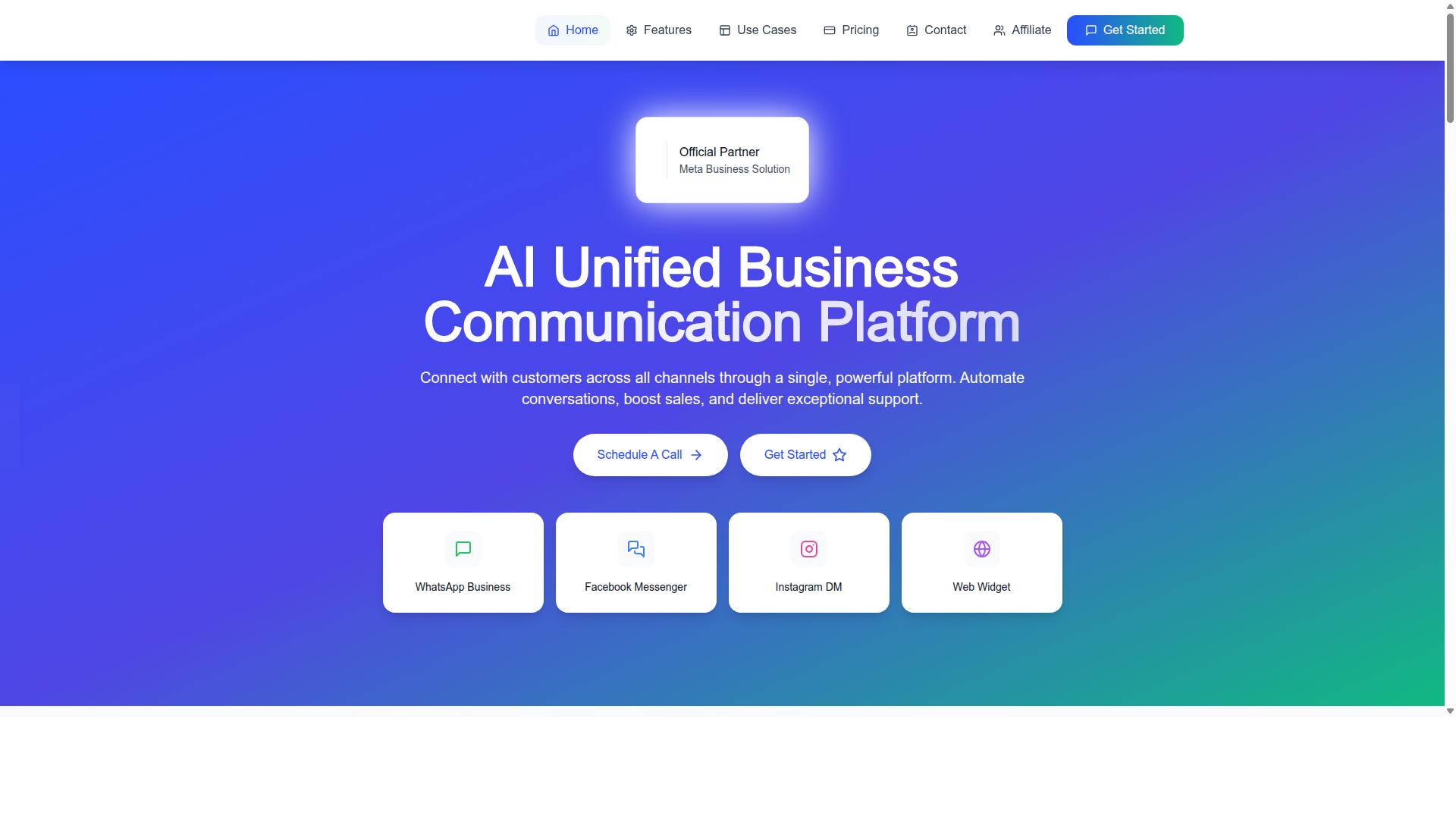
Com.bot is an AI Unified Business Communication Platform that connects WhatsApp Business, Facebook Messenger, Instagram DM, and Web Widget into a single interface. That single interface directly targets the silos and context switching described above.
Its Unified Team Inbox brings conversations from every connected channel into one shared workspace, so agents see a customer's full history without leaving the screen. Team Collaboration with role-based access supports routing and escalation, while the platform's Multi-Channel Support keeps messaging consistent across WhatsApp, Facebook, and Instagram.
For repetitive requests, the Visual Bot Builder offers a drag-and-drop interface for creating Smart Chatbots, and the Automation Builder connects with 1000+ integrations. Order Updates, Notifications, and Payment Collection cover many of the routine queries that otherwise flood a support queue, while Native Payments handles WhatsApp transactions directly.
Broader capabilities round out the picture. WhatsApp Business API integration anchors the platform on the channel most customers use, and Bulk Messaging helps teams reach many contacts at once without abandoning the shared inbox.
Com.bot serves customers in 50+ countries and is an Official Meta Business Partner, which speaks to its standing in the messaging ecosystem. For teams wrestling with channel fragmentation, the platform's structure maps closely to the three pillars: unified visibility, practical automation, and consistent messaging across every touchpoint.
Building a Multi-Channel Playbook That Scales
A scalable multi-channel playbook documents processes, roles, and metrics to ensure consistent service as you grow. Without one, multi-channel support quietly turns into channel fragmentation, where each team member improvises and the customer experience drifts.
The goal is not a thick binder of rules. It is a living document that any new agent can follow and any team lead can update. Build it in stages, starting small and adding detail only when real gaps appear.
1. Map customer journeys per channel. Document why customers choose live chat, email support, phone support, or social media support for different needs. Note where handoffs happen, since those seams are where inconsistent messaging and lost context usually start.
2. Define SLAs and routing rules. Set response time targets per channel, then write ticket routing and escalation management rules that match. A queue management plan should state who owns each channel during each shift, and what triggers an escalation.
3. Centralize knowledge and training. Keep one knowledge base that feeds every channel, including any self-service portal or chatbot. Agent training should cover the same source material so answers stay consistent across touchpoints.
4. Choose tools that unify channels. A unified inbox reduces context switching and data silos by letting agents work from one screen. Look for CRM integration, ticket routing, and reporting that spans channels rather than isolating them.
5. Track per-channel and cross-channel metrics. Measure response time, first contact resolution, average handle time, CSAT, and NPS both per channel and across the whole journey. Cross-channel views reveal problems that single-channel reports hide.
6. Iterate based on feedback. Schedule regular reviews, monthly or quarterly, to compare results against the playbook. Update routing rules, SLAs, and training whenever the data or agent feedback shows a mismatch.
Start with two or three channels, prove the workflow, then expand. A playbook that scales is reviewed often and rewritten in small pieces, not replaced all at once.
If you want help unifying channels and building workflows that hold up as you grow, Com.bot can help. Reach the team at sales@com.bot or call and WhatsApp +91 080 6987 1810 during business hours, Monday to Friday, 9:00 AM to 6:00 PM IST.
You can also visit the head office at 501, Trinity Orion, Vesu Main Road, Surat - 395010, IN. Contact Com.bot for a demo or more information about supporting your multi-channel strategy.